
ExeOutput for PHP includes a built-in code editor that allows you to modify your PHP, JavaScript, and HTML files directly within the interface. The editor provides syntax highlighting for these languages.
To open a file in the editor, go to the File Manager, select a PHP, HTML, or JavaScript file, and click Edit.
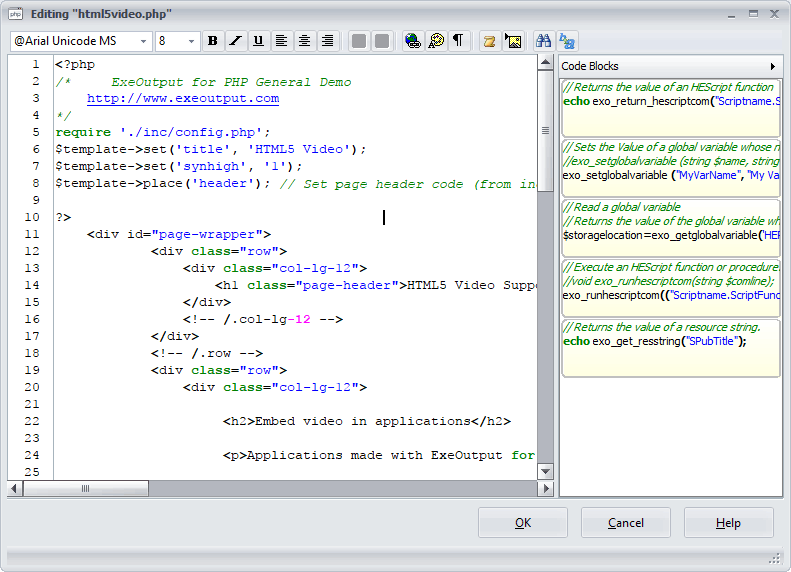
The editor provides a simple text area with syntax highlighting to make code easier to read. The toolbar at the top provides basic formatting options for HTML content, similar to a standard rich text editor. It also includes buttons for special commands and search functionality. Hover your mouse over a button to see a tooltip describing its function.
Saving Changes #
Make your changes directly in the text area. When you are finished, click OK to save your changes back to the file.
A backup file (.~*) can be automatically created upon saving, depending on your Environment Options.
Special Toolbar Commands #
Insert Image #
This command helps you insert <img> tags into your HTML. It displays a list of all image files in your project, and upon selection, it automatically inserts the required HTML code into your document.
Insert HEScript Call #
This command is for advanced users working with HEScript. It inserts an HTML hyperlink (<a>) that calls an HEScript function. A dialog will show all available script functions in your project. After you choose one, the editor inserts a hyperlink that will execute the function when clicked by the user.


