
ExeOutput for PHP allows you to create ribbons for your PHP applications.
To create a ribbon, add a Ribbon to the “Components Used” list and then click Edit Ribbon.
The UI editor will appear, displaying a ready-to-use ribbon that you can modify.
Adding a New Toolbar to the Ribbon #
You can create a new toolbar by cloning an existing one.
Select the original toolbar (named
scPanel2):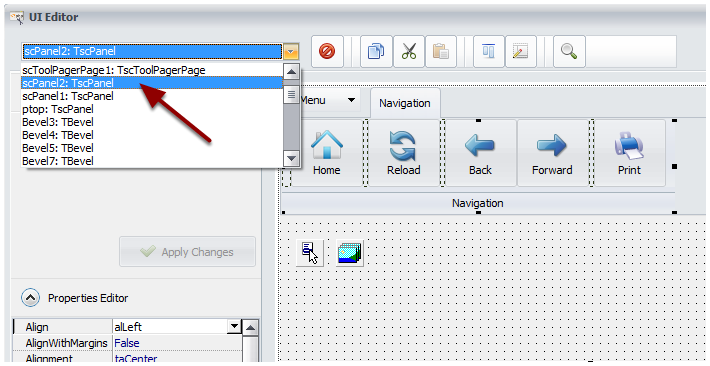
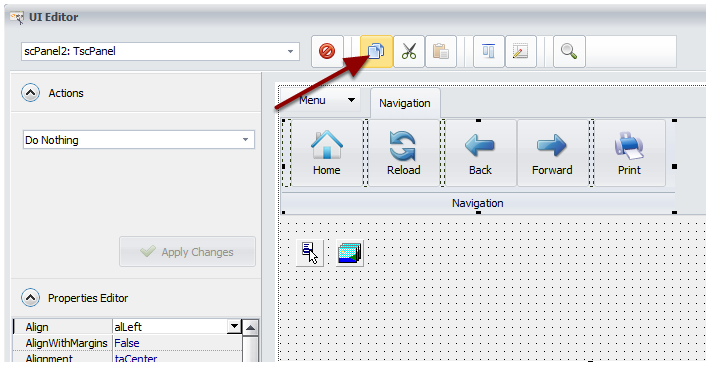
Click Copy.
![Click Copy]()
Select the entire page (named
scToolPagerPage1here) and then click Paste to create the new toolbar.![Select the entire page (named scToolPagerPage1 here) and then click Paste to create the new toolbar]()
The new toolbar will be created. You can then remove any unwanted controls, change buttons, etc.
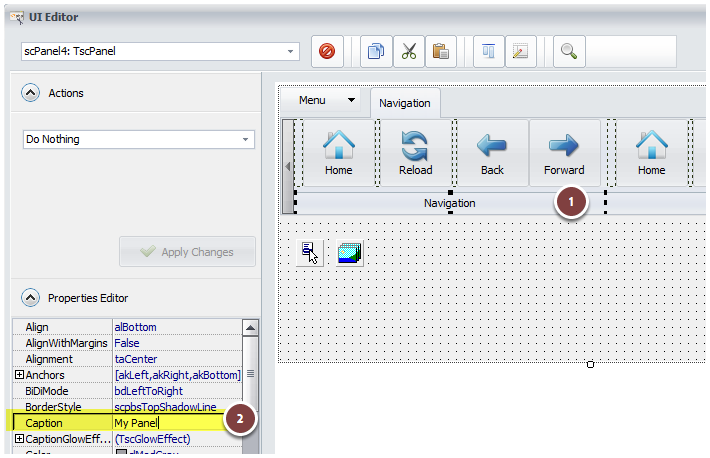
You can change the toolbar’s description by selecting its description panel and modifying the
Captionproperty.![You can change the toolbar's description by selecting the description panel and modifying the Caption property]()

Adding a New Page to the Ribbon #
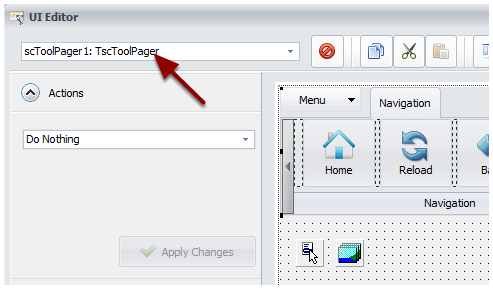
Select the entire ribbon (named
scToolPager1here) in the editor.![Select the entire ribbon (select scToolPager1 here) in the editor]()
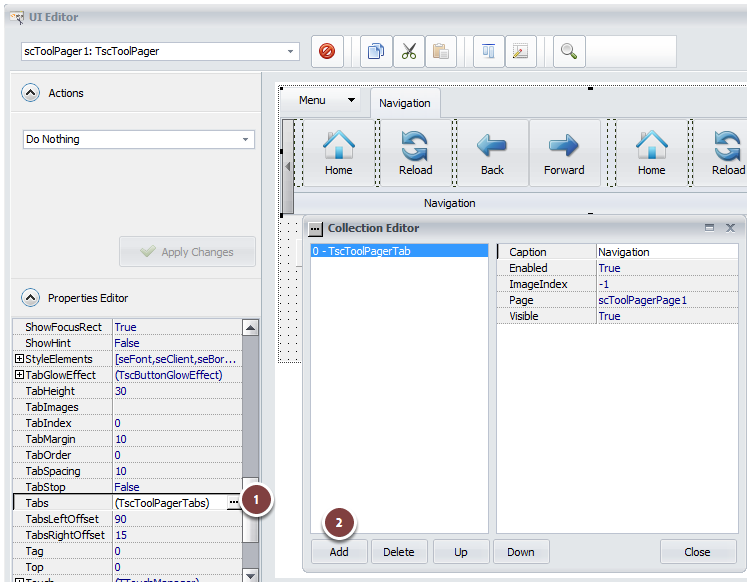
Scroll down and double-click the
Tabsproperty to open the Collection Editor. Click Add, and a new page will be added.![Scroll down and double-click the "Tabs" property to show the Collection Editor. Click Add and a new page will be added.]()
Modify its
Captionand close the window.![Modify its Caption and close the window]()
Select the new page, then add a toolbar by copying and pasting an existing one as explained above.

For the Caption property, you can use Resource Strings for easier localization. To insert a resource string, use %RESID% and replace RESID with the name of the resource string.
Modifying a Button or Ribbon at Runtime #
It is possible to change any property of a button, or even the entire ribbon, at runtime.
Refer to the dedicated topic “How To Modify Controls At Runtime“.
Changing a Ribbon Page’s Name at Runtime #
Use the following HEScript code:
SetUIProp("ribbon1scToolPager1", "Tabs.items[0].Caption", "My new caption");
[0]refers to the first page.[1]refers to the second page, and so on.


